
A run of show is a minute-by-minute production script that tells your backstage team exactly what happens, when, and who owns it. If you’re staring at a blank sheet right now, stop reading and grab an editable run of show template instead of building one from scratch. Copying a proven grid saves you hours and keeps you from missing a column you’ll need at 6 p.m. on show day.
Here’s who actually lives inside this document and why it’s different from the schedule you hand to attendees:
- Who needs it: production managers, AV techs, stage managers, and anyone calling cues live.
- How it differs from a public agenda: an agenda tells guests what’s happening; a run of show tells your crew exactly how to make it happen, second by second.
Key Takeaways
A run of show works because it assigns exact timing, named ownership, and precise cues to every second of backstage execution, not just the parts an audience sees.
| Point | Details |
|---|---|
| Start with a template | Copy a proven grid instead of building columns from scratch under deadline pressure. |
| Fix points before back-planning | Lock curfews and talent commitments first, then work backward from doors opening. |
| Name a real owner per row | “AV team” is not an owner; a person with a name is. |
| Build in visible buffer rows | Label slack time as its own row so it’s easy to find and trim under pressure. |
| Rehearse with a coaching lens | Middy’s coaching-driven rehearsal approach builds calm, accountable execution into speaker timing. |
Table of Contents
- What Is a Run of Show, and How Is It Different From an Agenda?
- Run-of-Show Anatomy: The Fields and Columns You Actually Need
- How Do You Build a Run of Show From Scratch?
- Production Tracks and Cue-Writing Standards for Tech Teams
- What Are the Day-Of Rules for Calling a Live Show?
- How Do You Fill Out a Run of Show Template?
- What Are the Most Common Run-of-Show Mistakes?
- Why Rehearsal Discipline Matters More Than the Document Itself
- Need Your Rehearsal Run Like a Real Show?
- Sources
What Is a Run of Show, and How Is It Different From an Agenda?
A run of show (also called a run sheet, cue sheet, or show flow document) is an internal production tool. It’s built for the people executing the event, not the people attending it. A public agenda might say “Keynote: 2:00 PM.” Your run of show says the presenter needs a body mic patched by 1:52, house lights dim at 1:58, and the walk-on music cuts at exactly 2:00:15.
The audiences are different, and so is the level of detail:
- Agendas are guest-facing, high-level, and forgiving of small shifts.
- Run of show documents are crew-facing, second-level, and built around named ownership for every line.
- Cue sheets (a common alternate name) emphasize the technical trigger points: lighting, audio, video, and staging changes.
An agenda alone can’t run a live event because it has no owners, no buffers, and no technical notes. It tells you what the audience sees, not what your team does to make that happen backstage. If your document only has times and session titles, you don’t have a run of show yet. You have a program.
Run-of-Show Anatomy: The Fields and Columns You Actually Need
Every functional run of show has two parts: a header block that orients anyone opening the file, and a timeline grid that drives the actual show. Skip either one and someone on your team will be guessing during the event.
Your header block should include:
- Event name and date, plus venue name and address.
- Key contacts with phone numbers: producer, venue manager, AV lead, and client contact.
- Emergency plan notes (nearest exit, medical contact, weather contingency for outdoor events).
- Version number and last-updated timestamp, so nobody works from a stale copy.
Your timeline grid needs these columns at minimum:
- Time (a fixed clock time, not just an elapsed duration).
- Duration (how long the segment runs).
- What happens (a plain description of the activity).
- Owner (a named person, never a department).
- Notes/cues (exact technical instructions, discussed below).
- Asset or file name (which slide deck, video file, or audio track plays).
- Buffer indicator (a flag showing whether this row has slack built in).
Professionally built run of show templates often add supporting tabs for mic assignments, lighting looks, and a separate production schedule covering load-in and strike, according to ProCore Productions. Those tabs aren’t decoration. They keep your AV team from digging through fifty rows of speaker cues to find which lav mic goes to which presenter.
How Do You Build a Run of Show From Scratch?
Building a run of show works best in a fixed order. Skip a step and you’ll spend show week reshuffling the whole document instead of rehearsing.
- Place your fixed points first. Venue curfew, talent contracts, catering windows, and load-out deadlines don’t move. Write those in before anything else.
- Back-plan from doors. Once you know when doors open and when the event must end, work backward to schedule load-in, sound check, and rehearsal blocks that fit the space you have left.
- Create load-in and tech-check rows before content rows. Most planners jump straight to the program and forget that a stage needs two hours of setup before a single cue fires.
- Assign a named owner to every row. Not “AV team.” A person. If a row has no owner, it will slip.
- Add buffers at risky transitions. Speaker changeovers, technical setups, and anything involving talent walking on stage deserve slack, not a hard cut.
- Set version control and a sharing workflow. One live document, one person with edit rights, everyone else on view-only.
- Run a full tech rehearsal against the document, then distribute the final version with a clear version stamp.
The core discipline behind this sequence, fixed points first, then back-planning, named owners, and buffer built in from the start, comes directly from best-practice production workflows used across live events. Skipping the back-plan step is the single most common reason a schedule collapses by mid-afternoon.
Pro Tip: Build your buffers into the document as their own labeled rows, not as padding hidden inside another segment’s duration. A visible “10 min buffer” row is much easier to sacrifice under pressure than time nobody knows exists.
Rehearsal is not optional at this stage. A walk-through where every department checks its own cue-to-cue handoff, not just the speaker rehearsing lines, catches most timing failures before they become show-day problems, according to Seatfun’s build guide.
Production Tracks and Cue-Writing Standards for Tech Teams
A production-grade run of show splits into five baseline tracks so each department can scan its own line without reading everyone else’s notes. Those tracks are presenter/staging, visuals or LED, audio routing, lighting states, and technical infrastructure. Segmenting cues this way, instead of writing one long paragraph per row, is what separates a real run of show from a glorified to-do list.
Cue phrasing needs to be exact, not descriptive. “Turn up the lights” is not a cue. “LX Cue 14: Fade to Full, 3 count” is. Asset names follow the same rule: a file called “final_v2.mp4” will cause someone panic at 7:45 p.m. A file called “Keynote_MainStage_v3_20260214.mp4” will not.
Here’s what that looks like in practice:
- Presenter/staging: “Speaker walks on SL, mic live at :05.”
- Visuals: “Cue GFX_08, slide deck Q1_Sales_Kickoff_v4.”
- Audio: “Fade house music to 20%, presenter lav at unity gain.”
- Lighting: “LX Cue 22: Warm wash, 4 count fade.”
- Technical: “Confirm HDMI feed from laptop 2 before Cue 22.”
Auto-calculating timing columns, where changing one segment’s duration automatically shifts every row after it, prevents the manual recalculation errors that cause the most confusion in a fast-moving cue sheet, per Centric Events. Departmental segmentation does the same job on the content side: it keeps a lighting operator from having to parse an audio note to find their own cue.
What Are the Day-Of Rules for Calling a Live Show?
Live execution runs on one rule above all: a single show caller owns the room. That person, and only that person, calls cues and authorizes real-time changes. Two people calling cues on the same channel is how shows fall apart mid-transition.
- The show caller uses a two-step cadence, “Standby” then “Go,” giving technicians a beat to prepare before each cue fires, a practice detailed by Centric Events.
- Any change to timing gets logged in a change log, not shouted over a radio and forgotten.
- Only the show caller (or a producer they’ve explicitly authorized) approves edits to the live document.
- Track your delta, the running gap between planned and actual time, so you know by segment three whether you’re four minutes behind or four minutes ahead.
Pro Tip: When you’re running behind, trim buffer rows first, then transition time, and touch core content last. Cutting a speaker’s Q&A should always be the final lever, not the first one.
How Do You Fill Out a Run of Show Template?
Editable templates, whether a spreadsheet, a Google Sheet, or an interactive live matrix, exist so you’re not designing columns from scratch on a deadline. Look for one with auto-calculation built in, so adjusting one duration updates every downstream row automatically.
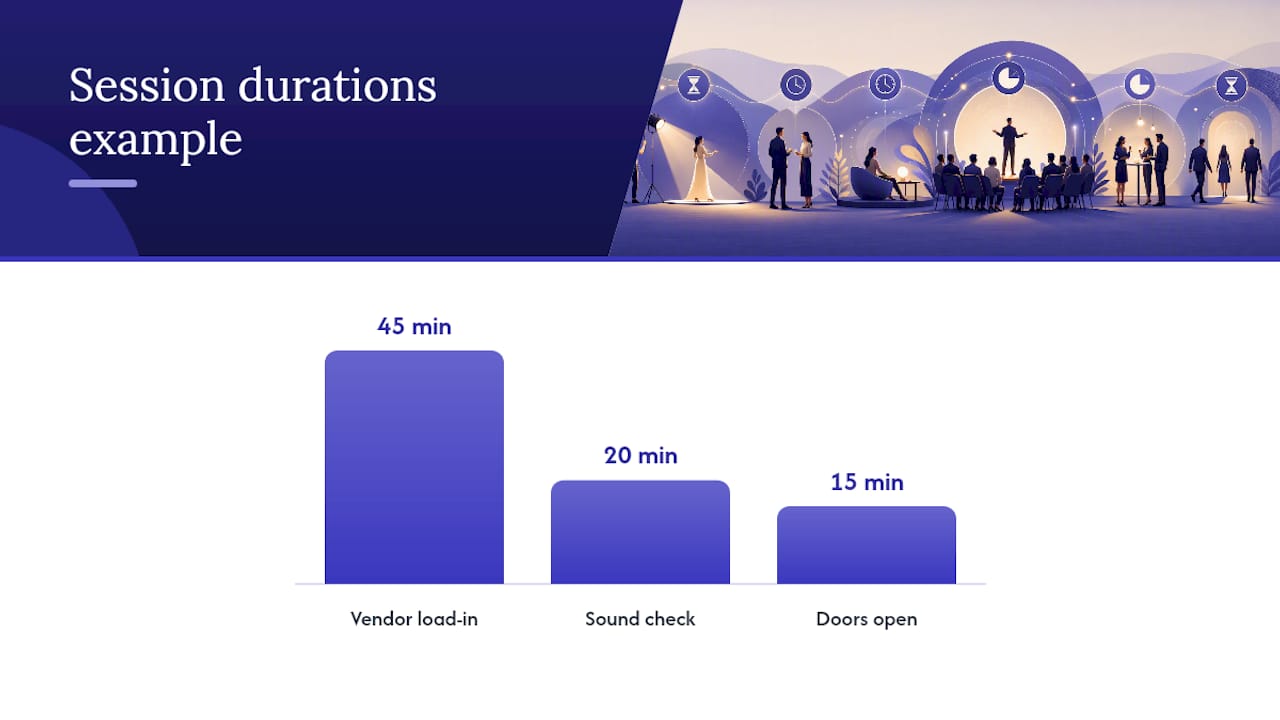
Here’s a worked example of three real rows from a mid-size conference session:
| Time | Duration | What Happens | Owner | Notes/Cues |
|---|---|---|---|---|
| 7:00 AM | 45 min | Vendor load-in, main stage | J. Ortiz (Production) | Confirm dock access, forklift standing by |
| — | 20 min | Sound check, keynote speaker | R. Kwan (Audio) | Lav mic + confidence monitor, test at unity gain |
| 1:00 PM | 15 min | Doors open, house lights to half | M. Torres (Stage Manager) | Confirm registration desk staffed before signal |
Once your grid holds real data, keep it clean:
- Name your tabs clearly (Grid, Mic Assignments, Lighting Looks, Production Schedule).
- Stamp every export with a version number and timestamp.
- Never let two people edit the same live copy without a lock or a single point of approval.
What Are the Most Common Run-of-Show Mistakes?
Most run-of-show failures trace back to a handful of repeat offenders, and they’re easy to catch if you know where to look.
- Unnamed owners. A row assigned to “the AV team” instead of a person almost always slips through the cracks.
- Hardcoded times with no buffer. One long speaker turns your whole afternoon into a scramble.
- Vague file names. “final.mp4” is not a file name a stressed technician can find in ninety seconds.
- No single show caller. Multiple people issuing cues is the fastest way to miss one.
Best practice fixes all four at once: name a real owner on every row, build in 10 to 15 minutes of buffer around your riskiest transitions, run the document as a live cloud file instead of an emailed attachment, and rehearse the whole team against it before doors open.
Pro Tip: Include an issue and change log as its own tab. Teams that track what changed and why during rehearsal make fewer repeat mistakes on the next event, a practice EventSuite’s template guide recommends for post-event learning.
Why Rehearsal Discipline Matters More Than the Document Itself
A perfect run of show still fails if nobody rehearses against it. I’ve watched coaching principles from competitive sports translate directly to event production: the plan matters less than how calmly a team executes it under pressure. Rehearsal isn’t about memorizing lines. It’s about building the muscle memory that keeps a room calm when a cue fires two minutes late.
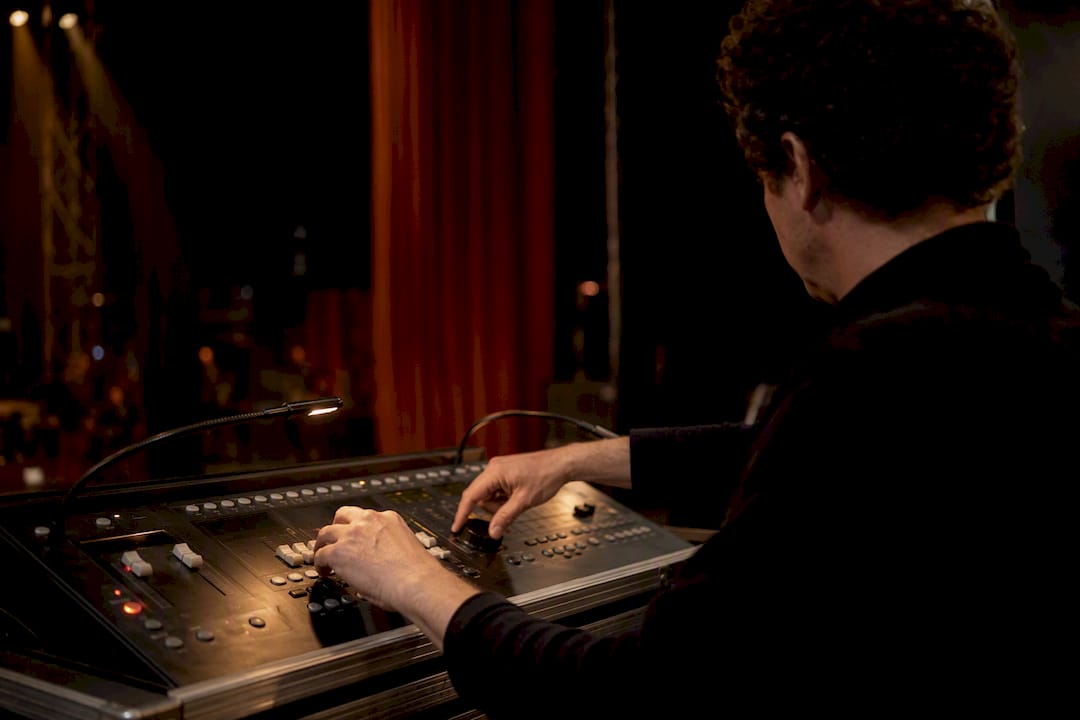
Delegation works the same way backstage as it does on a sales floor or a team roster. Give someone real ownership of a row, and coach them on how to handle it going wrong, and they’ll perform under pressure. Micromanage every cue yourself, and you become the single point of failure the moment something shifts. That’s the same coaching versus commanding distinction that separates teams who recover gracefully from teams who freeze.
Cross-department rehearsal, where audio checks its handoff to lighting and lighting checks its handoff to staging, catches more real problems than a speaker running lines alone ever will.
— Middy
Need Your Rehearsal Run Like a Real Show?
Most planners default to a speaker walk-through the morning of the event and hope for the best. That works until a transition runs long or a handoff between speaker and AV gets fumbled live. A rehearsal built with actual coaching discipline, timed segments, real-time adjustments, clear ownership handoffs, catches those failures before an audience ever sees them.
A Middy keynote or workshop session includes a timed run-through built around the same ownership principles that make a strong run of show work: named responsibility, clear cues, and calm recovery when timing shifts. Planners booking a session get speaker coaching on pacing and stage presence alongside the content itself, not a separate afterthought. If your event depends on a speaker hitting their marks under pressure, that’s worth building into your production plan early. Browse sales training ideas built to stick or check what makes a strong keynote booking work, then reach out to get a session on the calendar before your next event’s rehearsal window closes.
Sources
- Free Run of Show Template & Interactive Tool | Centric Events
- Free Run of Show Template (Google Sheet) | ProCore Productions
- Run of Show: What It Is + How to Build One (Free Template) 2026 – Seatfun
- Event run sheet template guide | EventSuite
Recommended
- Train Like an Athlete, Sell Like a Pro: A Keynote Framework – Middy Matthews | Keynote Speaker
- Choosing a Keynote Speaker in Chicago: A Guide for Event Planners – Middy Matthews | Keynote Speaker
- From the Starting Line to the Sale: A Sports Keynote for Revenue Teams – Middy Matthews | Keynote Speaker
- Hiring a Sports Motivational Speaker for Your Sales Team – Middy Matthews | Keynote Speaker
Leave a Reply